Here, you can view applicant submissions, including session titles and descriptions. You can also update their status, review their information, download it submitted form, and sync confirmed applicants to your event.
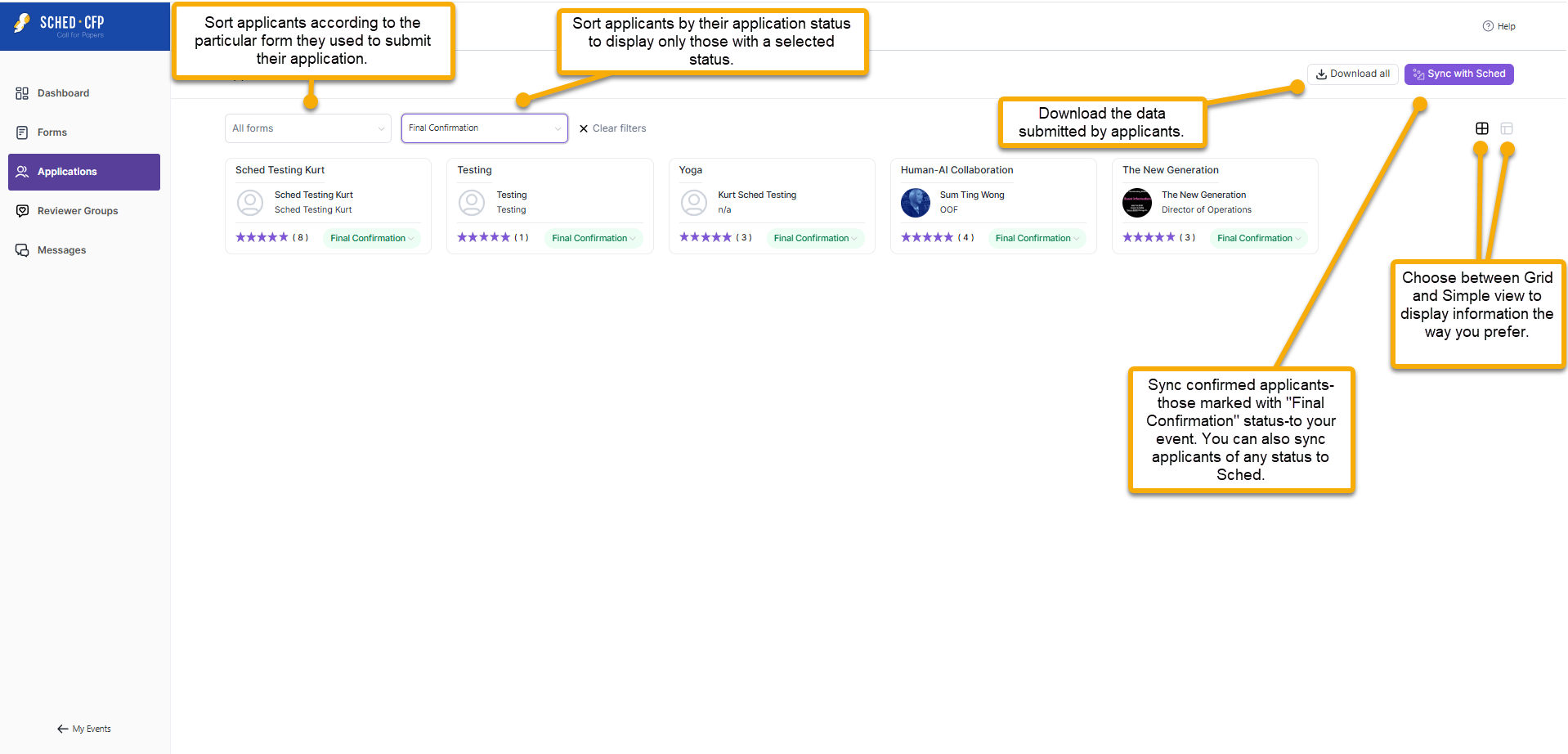
- All Forms: Filter applicants based on the specific form they used to submit their application.
- All Statuses: Filter CFP applicants by their current application status. New CFP submissions appear as Initial Submission by default, and the status will only change when an admin manually updates it. Use this filter to view applicants in a specific stage of your CFP review process.
- Download All: Download the information submitted by applicants. This is commonly used by reviewers to assess the applicants’ details.
- Sync with Sched: You can sync applicants with any status—such as those marked “Final Confirmation”—to your event by filtering for that status and clicking Sync with Sched.
- Grid and Simple View: Switch between Grid and Simple view based on your preference for displaying information.


